Optional Features
This guide covers optional features for Kronifer's Map Manager that can be added by map makers. These optional features are mostly visual/UI-related and have no effect on gameplay.
Thumbnail
The thumbnail of a map is the image that is displayed when a player tries to make a new map.
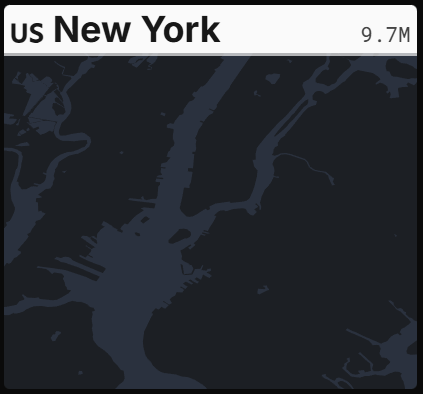
We can create a custom one 2 different ways.
The thumbnail is optional, however if you do not set it, it will appear blank.
Method 1 - Config File
To create a custom thumbnail using the config.json file, you can simply add the following field
into the file:
"thumbnailBbox": [minLon, minLat, maxLon, maxLat]
This will automatically generate a vanilla-styled thumbnail for your map based on the bounding box you inputted.
Method 2 - Custom Image
To create a custom thumbnail using an image, you can add a XXX.svg (XXX is your city code).
Simply place it with the other data files within the ZIP and the Map Manager will automatically use
it as the thumbnail for your map. The image must be in SVG format.
Custom Country Tab
When you import your maps, they will appear under the "Custom" tab in the map creation screen. We
can create a custom tab if we have a map for a different country. This will allow us to set it to
appear under that country's tab, as do vanilla maps.

This currently will not work for United States or United Kingdom maps, as those
countries are already categorized under the "US" and "UK" tabs respectively and are handled
differently internally.
To do this, you can simply add the following field into your config.json file:
"country": "en" /* The country code of the country you want your map to be categorized under. For example, "CA" for Canada, "FR" for France, etc. A list of country codes can be found at https://en.wikipedia.org/wiki/List_of_ISO_3166_country_codes. */
This will automatically categorize your map under the specified country's tab. If you do not include
this field, your map will be categorized under the "Custom" tab by default.
All custom maps will still be categorized under the "Custom" tab in the map creation
screen, regardless of whether or not you have this field in your config.json. This only adds it to
that country's tab in addition to the "Custom" tab.