Using Custom URL
If you have multiple projects, you can host them all on the same repository via a custom Update JSON file. In this file, you can place all the necessary information required for Railyard to fetch updates for all of your projects.
Step 1 - Setting Up the Directory#
The first step is to set up the Update JSON files. You will need several of these, one for every project.
Create a new folder in your repository and call it something like releases or railyard. This is where your Update JSON files will be located. Create a new JSON file for every project. Inside each file, you can place the custom update schema found below and update it to match your project.
Step 2 - Custom Update Schema Template#
Paste the following template into each of your Update JSON files. Make sure to update the fields to match your project.
Note
For mods, each version entry must also include a manifest field pointing to the mod's manifest.json for that release. This should be the manifest.json that you uploaded alongside the mod release. Railyard uses this to validate dependencies without downloading the full ZIP.
Tip
The version of the project does not have to match the version of the GitHub release. As long as the download link points to a valid ZIP file, Railyard will be able to fetch it.
This also means that you may re-release the same update in a new GitHub release without having to update the version in the Update JSON file.
{
  "schema_version": 1,
  "versions": [
    {
      "version": "1.0.0",
      "game_version": ">=1.0.0",
      "date": "2026-02-24",
      "changelog": "Realistic demand data using official French government data (INSEE, SIRENE, SNCF).",
      "download": "https://github.com/flopinou/FrancePack/releases/download/1.0.0/Paris_MM.zip",
      "sha256": "<your asset's sha256>"
    }
  ]
}
Caution
Versions must be in semantic versioning format. 1.0, abc, version-A, etc. will not work. Your version must be X.Y.Z or vX.Y.Z.
Tip
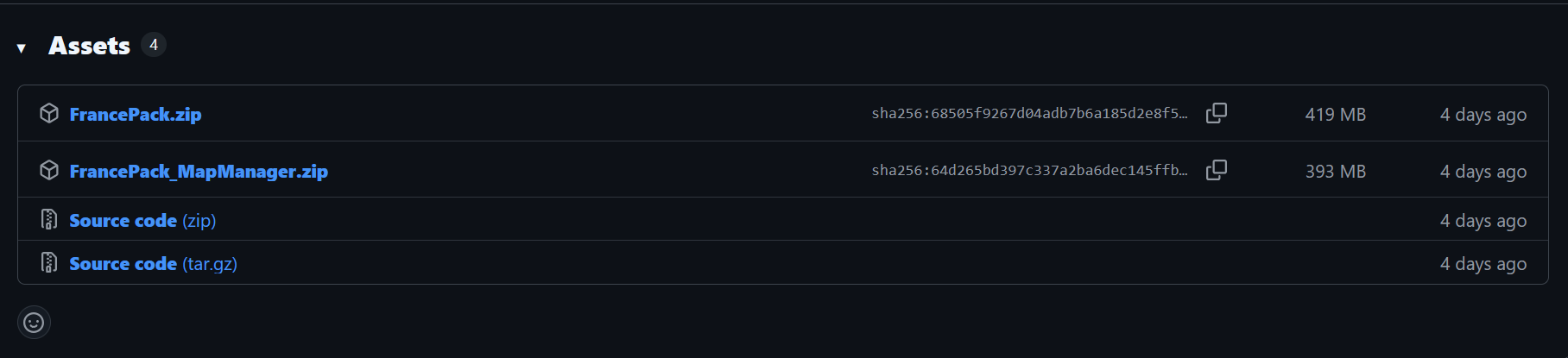
You can find the sha256 directly on the releases page.
To update your project, simply add a new field in the versions array and add your update information there. An example can be seen below.
{
  "schema_version": 1,
  "versions": [
    {
      "version": "1.0.0",
      "game_version": ">=1.0.0",
      "date": "2026-02-24",
      "changelog": "Realistic demand data using official French government data (INSEE, SIRENE, SNCF).",
      "download": "https://github.com/flopinou/FrancePack/releases/download/1.0.0/Paris_MM.zip",
      "sha256": "<your asset's sha256>"
    },
    {
      "version": "1.1.0",
      "game_version": ">=1.0.0",
      "date": "2026-02-28",
      "changelog": "Updated demand data from 2022 data to 2023 data.",
      "download": "https://github.com/flopinou/FrancePack/releases/download/1.1.0/Paris_MM.zip",
      "sha256": "<your asset's sha256>"
    }
  ]
}
Now that you have your Update JSON files set up, you can move on to actually creating the submission ticket on the Railyard registry.